
VERIFIED
Both kinds of Maytag washer use F5 E2 to say that a lock did not engage, but the cause to look for is different on each.
Front load: step by step
- Check the latch. A door can look closed without being locked, so open it and press it shut again with some firmness.
- Check what is poking out. Laundry hanging past the door opening can hold it back, so tuck it in before closing.
- Check the load size. Clothes need space to tumble freely; take some out if the drum is crowded.
- Check that nothing else blocks the door.
- Clear the display the way the front load list describes: press Pause or Cancel twice, then Power once.
Top load: the lid lock area
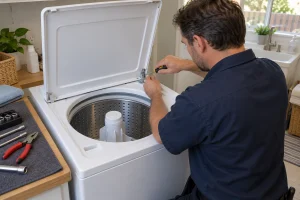
The washer reports that it cannot engage the lid lock, because something may be obstructing the lid lock area. Look there, remove any objects you find, and make sure clothing is not caught in the way.
Resetting the control
For a code that remains, disconnect the washer from power for 5 minutes and reconnect it. Maytag likens this to restarting a computer.
Related locking codes
- F5 E3 is another door lock code for front load washers.
- F5E2 is the lid lock fault where the lock has not reached its locked position or the motor cannot be powered.
- F5 E1 is the switch that detects the door or lid closing.
Washer repair in the Bay Area
If the latch checks and the reset leave F5 E2 on the display, a technician can take over, whether you are in San Francisco or elsewhere in the Bay Area. Phone (415) 649-2156 with the model number, the code, and the list of what you tried. Our Maytag washer repair page has the background.
Model compatibility: Maytag reuses codes across series and model years, so F5 E2 may mean something different on another appliance or generation. Confirm this against your model’s documentation and record your full model number before acting.