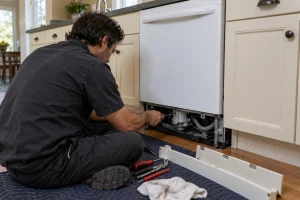
Dishwasher Repair in San Francisco
Drain, fill, heat, latch and control faults on Maytag dishwashers diagnosed in San Francisco and the Bay Area, with a written estimate…

Specialized Maytag Appliance Repair in San Francisco
Mon–Sat: 8:00 AM – 7:00 PM
Front-control and top-control Maytag dishwashers, what they do wrong and how we diagnose them.
A Maytag dishwasher is usually one of the quieter appliances in a Bay Area kitchen, which is why a change in sound or a puddle on the floor is easy to catch. The documented lineup here is built around four 24-inch models, so the differences between them are mostly about controls and noise level.
All four are 24 inches wide and current. The MDB4949SKZ has front controls and a 50 dBA sound level. The MDB7959SKZ moves the controls to the top edge of the door, also at 50 dBA. The MDB8959SKZ is a top-control model at 47 dBA with a third rack, and the MDB9959SKZ is top control at 44 dBA, also with a third rack.
That difference in control position matters for diagnosis. A top-control panel sits along the upper door edge and is more exposed to steam and spills, while a front-control unit shows its lights on the face of the door. Either way, the display is the first place a technician looks.
The label on a dishwasher is usually on the edge of the door or on the inner door frame, visible when the door is open. Check the sides of the tub opening if you do not see it. Copy the full line, including the letters at the end, and have it ready when you request a visit. If you are unsure, how to find a Maytag model number shows the usual spots across appliance types.
Three of our articles cover the most common situations: a dishwasher not draining, a dishwasher not cleaning, and lights flashing. If the machine sits dead, read dishwasher not starting first.
Maytag dishwashers show codes beginning with F and a second character. A few that Maytag explains: F8E1 means no water or a closed tap, F9E1 points to a drain problem, F5E1 means the door did not latch within a few seconds of pressing Start, and F7E4 means the filter is plugged. Some are heater or thermistor messages, such as F4E2 and F3E1. Each has its own page, for example F8E1, F9E1 and F5E1. A code tells us where to look first; it does not replace testing the part.
Drainage depends on the setup under the sink. A drain hose that dips instead of looping high, an air gap that has clogged, or a garbage disposer whose knockout plug was never removed can all produce a standing-water complaint that looks like a pump failure. In narrow galley kitchens and older flats, the unit is often wedged between cabinets, and a bent supply line behind it can starve the fill valve. A technician checks these connections before condemning a pump or a board.
Make sure the door closes and latches firmly and that nothing, such as a utensil, keeps the rack from rolling in. Confirm the power is on at the breaker and that the water supply valve under the sink is open. Open the bottom of the tub and clear the filter and the drain screen of food debris. Look for a kinked drain hose where it is visible. After that, run one controlled power reset. If the code returns, write it down.
Do not take off the lower panel or test any live wiring. A burning smell or sparks means the breaker goes off immediately.
Use Maytag dishwasher repair to request an appointment. We diagnose before any work, send a written estimate, and repair only what you approve. For buildings with matching units, a list of the model lines saves time.
The four documented models, MDB4949SKZ, MDB7959SKZ, MDB8959SKZ and MDB9959SKZ, are all 24 inches wide.
Common causes include a clogged filter, a drain hose without a high loop, a blocked air gap or a disposer connection that was never opened. A technician checks all of these.
Not necessarily. F8E1 refers to inlet water, so a closed supply valve is one thing to confirm before you book.
Stop using it. Turn the cycle off, switch off the breaker if water is near the controls, and request a visit.
Usually on the door edge or the inner door frame. Open the door and look along the sides.
Drain, fill, heat, latch and control faults on Maytag dishwashers diagnosed in San Francisco and the Bay Area, with a written estimate…
Maytag electric and gas cooktops in San Francisco: 30-inch and 36-inch models, common burner and element faults, code meanings and safe checks.
Electric and gas Maytag dryers in Bay Area garages and closets: the documented models, usual faults, airflow codes and safe checks before…
Over-the-range Maytag microwaves in San Francisco: the models we service, heating and fan faults, code meanings and safe owner checks.
Maytag electric and gas ranges in San Francisco: the 30-inch models we service, where to find the label, common faults and safe…
Share a few details and we’ll confirm an appointment. Prefer to talk? Call us and we’ll help right away.